LogickeyboardCookies

In order to improve the user experience on our website, we would like to register information about you using our own cookies as well as cookies from third parties. With cookies we support various purposes on the website: Functionality, statistics and marketing. By pressing "Accept all" you consent to all these purposes. You can also choose to indicate which purposes you want to consent to by using the buttons next to the purpose and pressing "Accept selected". You can read more about cookies in our general section about privacy policy.
Assistive keyboards from LogickeyboardAssistive keyboards from Logickeyboard


What is an assistive keyboard?

An assistive keyboard is a keyboard designed to make keys easier to see, recognize and use. It supports improved readability and clearer key identification in everyday computer use.

Logickeyboard develops assistive keyboards for different needs, including Large Print keyboards, Braille keyboards, Dyslexia keyboards and Kids Learning keyboards.

Each type addresses a specific need, such as larger key characters, molded Braille dots, improved character distinction or color guidance for early learning. All keyboard models function as standard plug and play keyboards.
 

Why choose an assistive keyboard?

  • Improved readability and clearer key identification.
  • Large print options that make characters easier to read.
  • High contrast layouts that help keys stand out.
  • Specialized fonts and character designs for clearer distinction.
  • Color guidance options that support learning and orientation.
  • Plug and play. Works as a standard keyboard.
     

Who is an assistive keyboard for?

Assistive keyboards are for people who need clearer key visibility, tactile guidance or learning-oriented layouts when using a computer. They are suitable for individual users and for shared computers in schools, workplaces and home environments.

 
Large Print keyboards
Large characters. Easy to read keys
Braille keyboards
Molded braille dots on the keys
Dyslexia keyboards
Designed for readability
Kids Learning keyboards
Color guidance for learning
 

Choose your assistive keyboard type

Choose the assistive keyboard type that fits your needs. Logickeyboard offers Large Print keyboards, Braille keyboards, Dyslexia keyboards and Kids Learning keyboards.


Assistive keyboard FAQ

What is an assistive keyboard?


An assistive keyboard is a computer keyboard designed to make keys easier to see, recognize or locate during typing. Assistive keyboards can include larger key characters, high contrast layouts, Braille markings or color guidance that help users navigate the keyboard more easily.

 
What assistive keyboard types does Logickeyboard offer?


Logickeyboard’s assistive range primarily includes Large Print keyboards, Dyslexia keyboards, Braille keyboards and Kids Learning keyboards. Each keyboard type includes visual or tactile features designed to make keys easier to recognize and use. Additional specialized layouts, such as Hand Sign keyboards, are also available.

 
What is a Large Print keyboard?


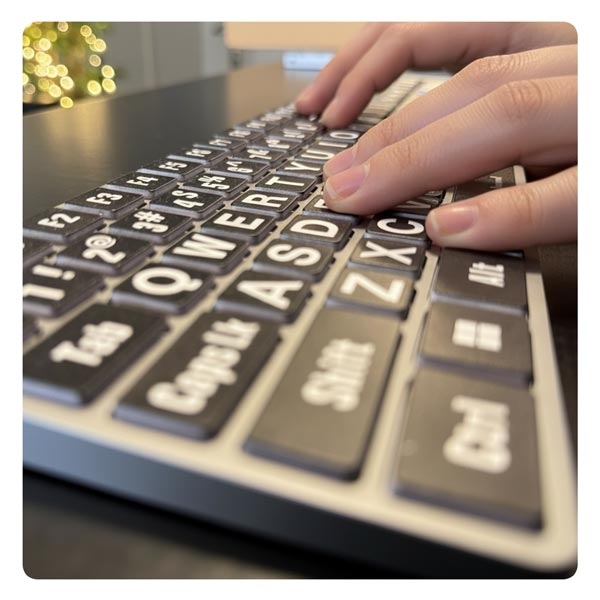
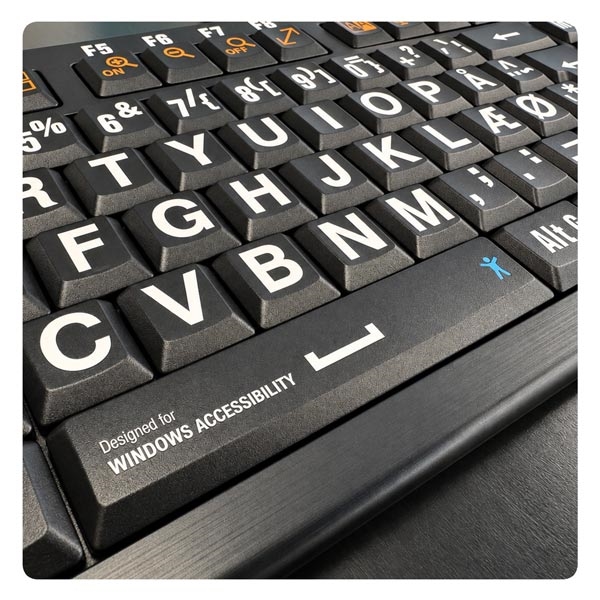
A Large Print keyboard uses larger characters on the keys to make letters, numbers and symbols easier to see on the keyboard. Depending on the keyboard model, Large Print keyboards are available in several color variations with high contrast characters.

 
What is a Dyslexia keyboard?


A Dyslexia keyboard uses a character design intended to make letters and symbols easier to distinguish on the keyboard. Logickeyboard Dyslexia keyboards are developed in collaboration with Dyslexie Font.

 
What is a Braille keyboard?


A Braille keyboard includes raised Braille markings on the keys so they can be identified by touch. Logickeyboard Braille keyboards use molded Braille dots integrated into the keys for extra durability.

 
What is a Kids Learning keyboard?


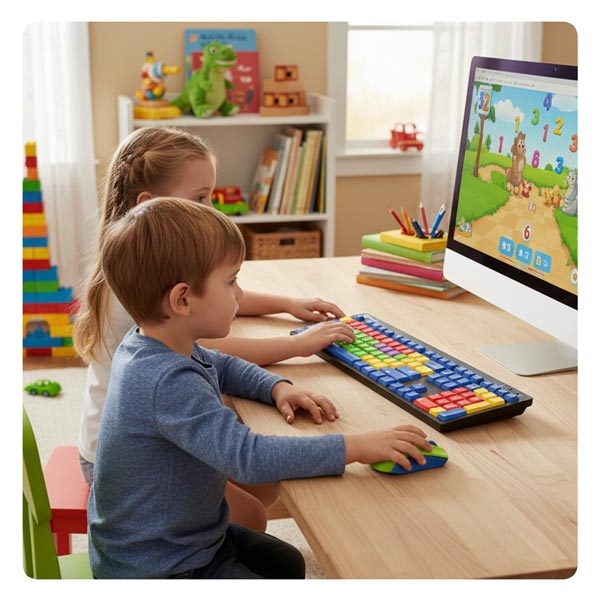
A Kids Learning keyboard uses color guidance on the keys to support early typing and keyboard orientation. The keyboard features color coded vowels, consonants, numbers and function keys, where each key group is shown in a different color to make the layout easier to understand while learning.

 
Do assistive keyboards work like a standard keyboard?


Yes. Logickeyboard assistive keyboards function as standard plug and play keyboards and can be used for everyday typing and computer work.

 
Do assistive keyboards require software or drivers?


No. Logickeyboard assistive keyboards connect as standard keyboards and do not require additional drivers for basic use.

 
Are assistive keyboards available for Mac and Windows?


Most assistive keyboards are available in Mac and Windows versions. The keyboard layout matches the operating system version.

 
Where can assistive keyboards be used?


Assistive keyboards can be used anywhere a standard computer keyboard is used, including schools, workplaces and home environments.


Logickeyboard product lines

Logickeyboard develops two keyboard product lines. Color-coded shortcut keyboards designed for creative software, and assistive keyboards designed to improve readability and accessibility.

Questions about products, orders, shipping and returns?

Visit our general FAQ for product information, shipping details, payment questions and other order-related topics.

Delivery country
Please confirm your location, to set prices, currency and delivery correct.